Accounting and administration with Odoo
Less manual work. More control over your numbers.
Accounting and administration with Odoo
Less manual work. More control over your numbers.
Discover what Odoo can mean for your administration
✽ From sales to payment. From purchasing to reporting. Everything in one clear administrative flow. Discover what Odoo can do for your admin
Discover what Odoo can mean for your administration
✽ From sales to payment. From purchasing to reporting. Everything in one clear administrative flow. Discover what Odoo can do for your admin

Sales invoices, purchase invoices, bank transactions, payments, VAT, and reports do not need to be spread across various programs, mailboxes, and Excel files.
With Odoo your accounting and daily administration come together in the same system where you also manage customers, quotes, sales, purchases, inventory, projects, cash register, and webshop.
Newconomie organizes Odoo in such a way that administrative data is correctly placed from the start. This means less double entry, fewer errors, and quicker insight into what is happening financially within your company.
During a digital introduction, we will review your current working method and the possibilities for automation.

Sales invoices, purchase invoices, bank transactions, payments, VAT, and reports do not need to be spread across various programs, mailboxes, and Excel files.
With Odoo your accounting and daily administration come together in the same system where you also manage customers, quotes,
sales, purchases, inventory, projects, cash register, and webshop.
Newconomie sets up Odoo so that administrative data ends up in the right place from the very start. As a result, you spend less time on duplicate data entry, reduce errors, and gain faster insight into your company's financial performance.
During a digital introduction, we will review your current working method and the possibilities for automation.
What is Odoo Accounting?
Odoo Accounting is an integrated financial solution for companies that want to connect their administration with
their daily business processes. A sales order can be converted into an invoice. An online order goes directly into the administration. A
received supplier invoice can be read digitally. Bank transactions are linked to outstanding items
and current figures are available in financial reports.
Your administration no longer runs separately from the operation. Financial information is generated during daily work. With Odoo you connect among other things:
What is Odoo Accounting?
Odoo Accounting is an integrated financial solution for companies that want to connect their administration with
their daily business processes. A sales order can be converted into an invoice. An online order goes directly into the administration. A
received supplier invoice can be read digitally. Bank transactions are linked to outstanding items
and current figures are available in financial reports.
Your administration no longer runs separately from the operation. Financial information is generated during daily work. With Odoo you connect among other things:


Multiple companies, countries, currencies, and tax localizations
Read more about our Odoo implementations.



Cash register, webshop, subscriptions, and recurring billing
Read more about our Odoo implementations.


Multiple companies, countries, currencies, and tax localizations
Read more about our Odoo implementations.
Cash register, webshop, subscriptions, and recurring billing
Read more about our Odoo implementations.
Why accounting with Odoo?
Why accounting with Odoo?
No double entry
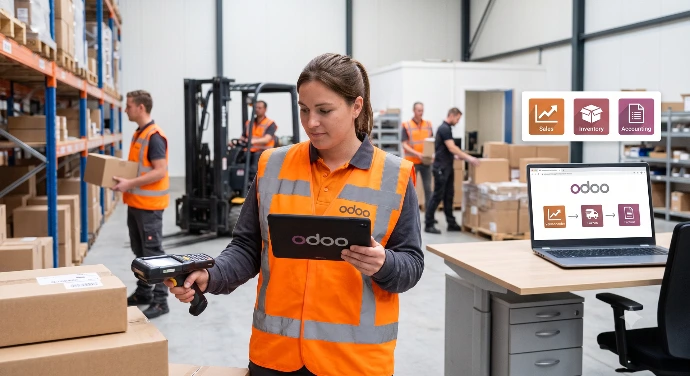
In Odoo, these components are connected. A confirmed sale can flow through to delivery, invoicing, and payment. This saves time and reduces the chance of discrepancies between your commercial and financial administration.
Current insight into your business
● Revenue and costs
● Outstanding customer invoices
● Payable supplier invoices
● Liquidity and bank balances
● Profit and loss statement and balance sheet
● Cash flow
● Aging analysis of receivables and payables
● Results per project, department, activity, or sales channel.
The quality of reports depends on a good setup and consistent processing. Therefore, we look not only at the software but also at the administrative processes within your organization.

Automatic processing where responsible
No double entry
In Odoo, these components are connected to each other. A confirmed sale can flow into delivery, invoicing, and payment. This saves time and reduces the chance of discrepancies between your commercial and financial administration.
Current insight into your business
● Revenue and costs
● Outstanding customer invoices
● Payable supplier invoices
● Liquidity and bank balances
● Profit and loss statement and balance sheet
● Cash flow
● Aging analysis of receivables and payables
● Results per project, department, activity, or sales channel.
The quality of reports depends on a good setup and consistent processing. Therefore, we look not only at the software but also at the administrative processes within your organization.
Automatic processing where responsible
From separate administration to one working flow
Newconomie translates your current processes into a practical Odoo setup that fits your organization
From separate administration to one working flow
Newconomie translates your current processes into a practical Odoo setup that fits your organization
Digital processing of supplier invoices
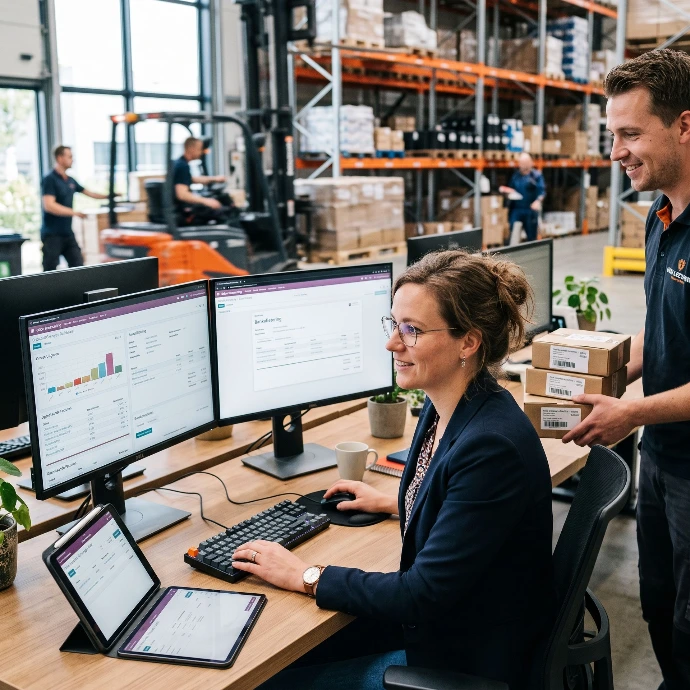
Supplier invoices can be uploaded as a PDF or received via a special email address in Odoo. With
document digitization and OCR, Odoo can recognize data such as:
● Supplier
● Invoice number and invoice date
● Amounts and VAT
● Payment term
● Invoice lines
When there is a corresponding purchase order, the supplier invoice can be compared with it. The
invoice, any attachments, and the booking are then stored together. This way, you have to search less in
separate mailboxes, folders, and administrative systems.

Digital processing of supplier invoices
Supplier invoices can be uploaded as a PDF or received via a special email address in Odoo. With
document digitization and OCR, Odoo can recognize data such as:
● Supplier
● Invoice number and invoice date
● Amounts and VAT
● Payment term
● Invoice lines
When a corresponding purchase order is present, the supplier invoice can be compared to it. The
invoice, any attachments, and the booking are then stored together. This way, you have to search less in
separate mailboxes, folders, and administrative systems.
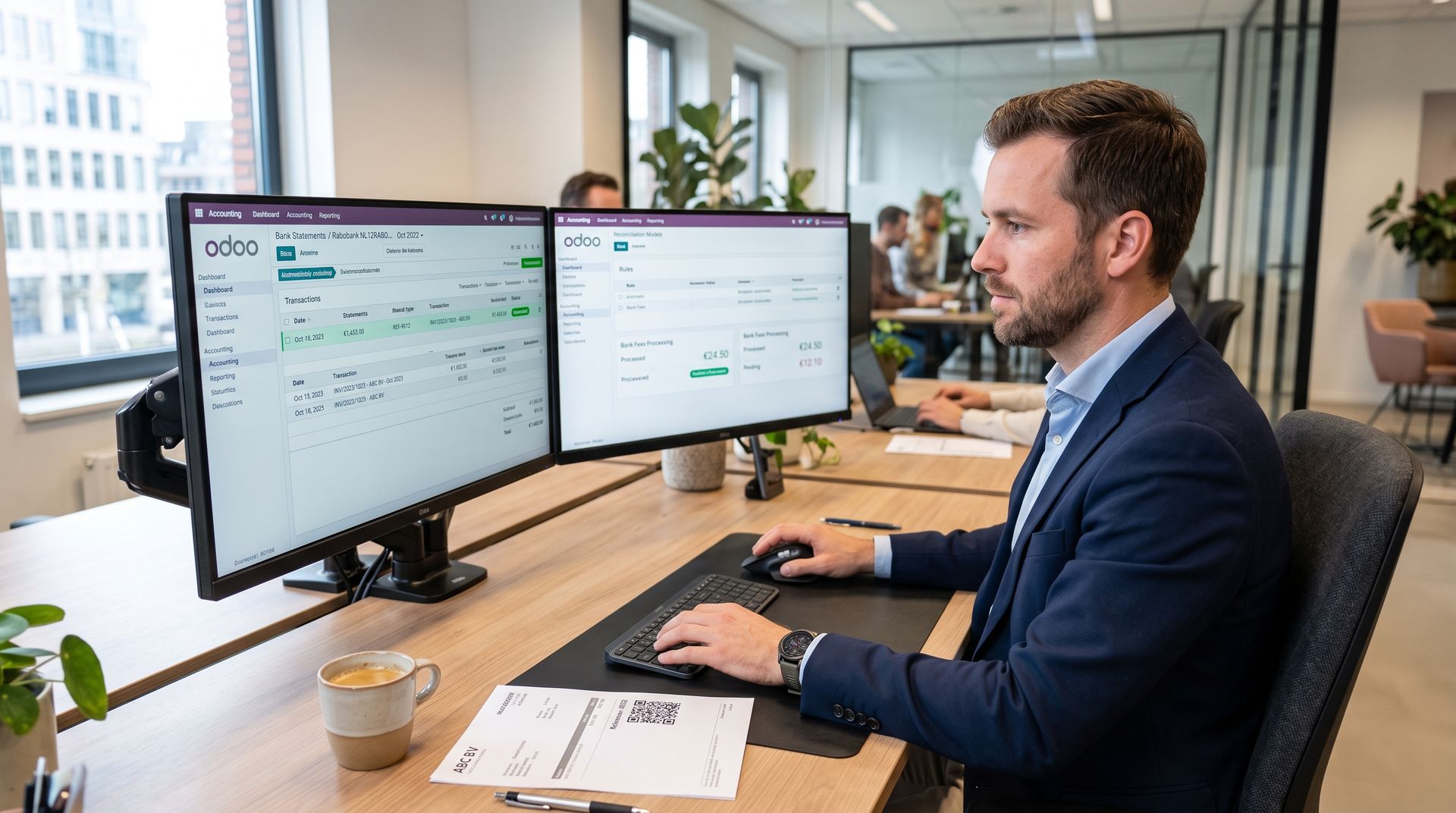
Reconciling bank transactions and payments
Odoo can be linked to bank accounts, depending on the bank, the country, and the subscription. Bank transactions
can then be imported automatically.
If a direct link is not available, bank files can also
be imported.
Odoo tries to automatically match transactions to customer invoices, supplier invoices, payments, payment references,
and existing contacts. For recurring transactions, such as bank fees or payment provider fees, reconciliation models
can be set up.
This makes bank processing faster and clearer, while you maintain control over the final bookings.
Reconciling bank transactions and payments
Odoo can, depending on the bank, the country, and the subscription, be linked to bank accounts. Bank transactions
can then be automatically imported.
If a direct link is not available, bank files can also
be imported.
Odoo tries to automatically match transactions to customer invoices, supplier invoices, payments, payment references
and existing contacts. For recurring transactions, such as bank fees or payment provider fees, reconciliation models
can be set up.
This makes bank processing faster and clearer, while you maintain control over the final bookings.
From sales and inventory to accounting
From sales and inventory to accounting
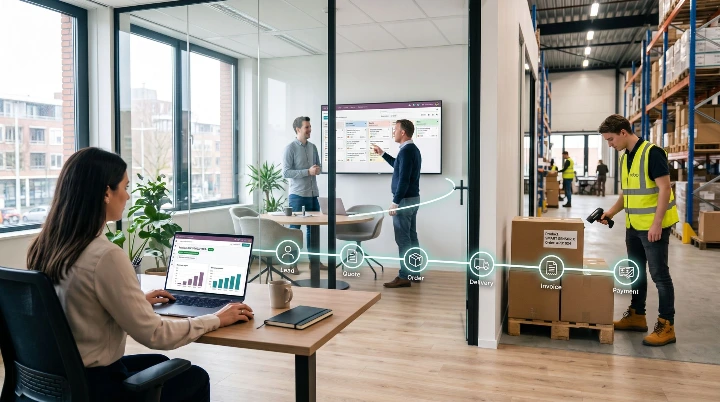
1. A lead or request comes in to CRM.
2. A quote is prepared.
3. The customer confirms the quote.
4. Products are delivered or services are performed.
5. The invoice is created.
6. The payment is processed and reconciled.
7. Revenue, costs, and outstanding items become visible in reports.
Inventory movements, purchase costs, and cost prices can also be processed within the chosen accounting setup.
This creates a continuous workflow, from the first customer contact to financial reporting.
The strength of Odoo lies not only in the accounting app. The main advantage is that the financial administration is connected to the rest of your business. A sale can, for example, go through the following steps:
1. A lead or request comes in CRM.
2. A quote is prepared.
3. The customer confirms the quote.
4. Products are delivered or services are performed.
5. The invoice is created.
6. The payment is processed and reconciled.
7. Revenue, costs, and outstanding items become visible in reports.
Stock movements, purchase costs, and cost prices can also be processed within the chosen accounting setup.
This creates a continuous workflow, from the first customer contact to the financial reporting.
The strength of Odoo lies not only in the accounting app. The main advantage is that the financial administration is connected to the rest of your business. A sale can, for example, go through the following steps:
VeriFactu and Odoo for companies in Spain

What is VeriFactu?
VERI*FACTU is part of the Spanish regulations for information systems for invoicing. The rules set requirements for the integrity, traceability, readability, and immutability of invoice records. When using the VeriFactu method, invoice records are electronically sent to the Spanish tax authority, the Agencia Estatal de Administración Tributaria (AEAT). Odoo 19 supports this method through the Spanish tax localization and the module Spain - Veri*Factu.
Setting up VeriFactu in Odoo
After a correct setup, Odoo can process sales invoices and cash orders according to the VeriFactu method. Odoo can send the required records to the AEAT and place a VeriFactu QR code on the invoice PDF and, where applicable, on the cash receipt.

Newconomie Can Help With:
● Installation And Control Of The Spanish Tax Localization;
● Control Of Company Data, Country And NIF;
● Setup Of The Spanish Chart Of Accounts, VAT Rules And Tax Positions;
● Installation And Configuration Of The Module Spain - Veri*Factu;
● Management And Technical Configuration Of The Required Digital Certificate;
● Control Of Invoices From Sales, Webshop And Cash Register;
● Testing Of Shipments, Statuses, QR Codes And Error Messages;
● Training Of Employees;
● Coordination With The Accountant, Tax Advisor Or Gestoría Of The Client.
Newconomie does not replace a Spanish tax advisor or gestoría. We ensure that Odoo is set up technically and administratively
carefully and coordinate with the advisor responsible for tax returns and tax
advice where necessary.
Official information: AEAT on information systems for invoicing and VeriFactu
VeriFactu in Odoo for companies in Spain
What is VeriFactu?
VERI*FACTU is part of the Spanish regulations for information systems for invoicing. The rules set requirements for the integrity, traceability, readability, and immutability of invoice records. When using the VeriFactu method, invoice records are electronically sent to the Spanish tax authority, the Agencia Estatal de Administración Tributaria (AEAT). Odoo 19 supports this method through the Spanish tax localization and the module Spain - Veri*Factu.
Setting up VeriFactu in Odoo
After a correct setup, Odoo can process sales invoices and cash orders according to the VeriFactu method. Odoo can send the required records to the AEAT and place a VeriFactu QR code on the invoice PDF and, where applicable, on the cash receipt.
Newconomie Can Help With:
● Installation and Control of the Spanish Tax Localization;
● Control of Company Data, Country, and NIF;
● Setup of the Spanish Chart of Accounts, VAT Rules, and Tax Positions;
● Installation and Configuration of the Module Spain - Veri*Factu;
● Management and Technical Configuration of the Required Digital Certificate;
● Control of Invoices from Sales, Webshop, and Cash Register;
● Testing of Shipments, Statuses, QR Codes, and Error Messages;
● Training of Employees;
● Coordination With The Accountant, Tax Advisor Or Client's Gestoría.
Newconomie does not replace a Spanish tax advisor or gestoría. We ensure that Odoo is set up technically and administratively
carefully and coordinate with the advisor responsible for tax returns and fiscal
advice where necessary.
Official information: AEAT on information systems for invoicing and VeriFactu
Peppol and Odoo for companies in Belgium
Structured B2B invoicing
As of January 1, 2026, almost all Belgian VAT-liable companies must use structured electronic invoices for mutual B2B transactions.
Sending an invoice solely as a pdf via email is not
sufficient.
The invoice must be exchanged as a structured file directly between the software systems of the supplier and the customer.
In Belgium, the Peppol network is primarily used for this purpose.
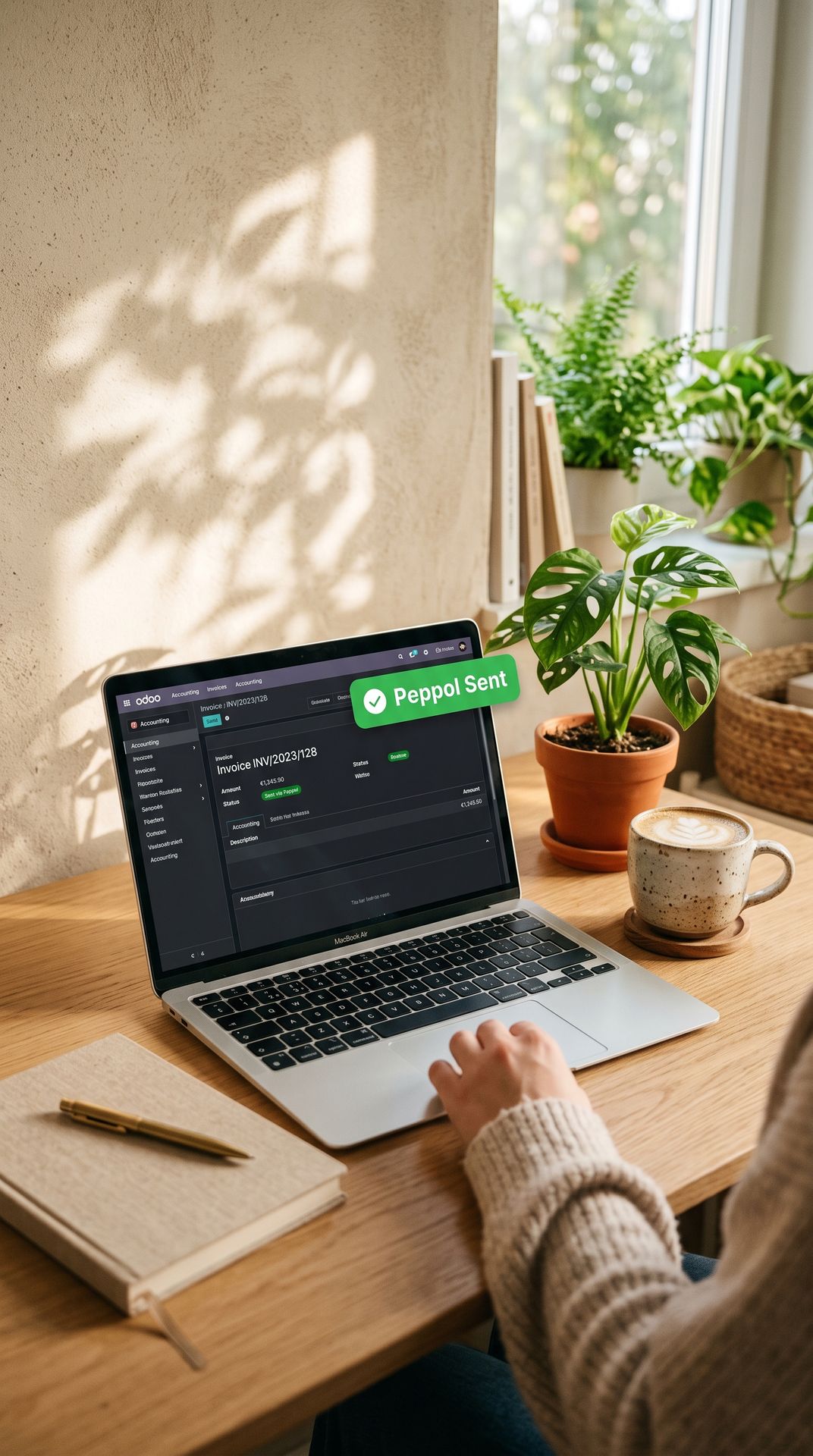
Setting up Peppol in Odoo
Odoo 19 supports sending and receiving electronic invoices via Peppol. Structured sales invoices
can be sent from Odoo to connected customers. Incoming documents can be processed as
supplier invoices in Odoo for review and processing.
Newconomie can assist with:
● Installation and control of the Belgian tax localization;
● Setup of Belgian taxes, tax positions, and reports;
● Verification of company number, VAT number, and contact details;
● Registration and configuration of the Peppol endpoint in Odoo;
● Setup of sales and purchase journals;
● Sending test invoices and checking document statuses;
● Receipt and processing of supplier invoices;
● Training of employees and documentation of the invoice workflow.
This way, Peppol becomes not just a separate technical project, but an integral part of the normal sales and purchasing processes.
Official information: Belgian portal for electronic invoicing
Peppol and Odoo for companies in Belgium
Structured B2B invoicing
As of January 1, 2026, almost all Belgian VAT-liable companies must use
structured electronic invoices for mutual B2B transactions. Sending an invoice solely as a pdf via email is not
sufficient.
The invoice must be exchanged as a structured file directly between the software systems of the supplier and the customer. In Belgium, the Peppol network is primarily used for this purpose.
Setting up Peppol in Odoo
Odoo 19 supports sending and receiving electronic invoices via Peppol. Structured sales invoices can be sent directly from Odoo to registered customers. Incoming documents land in Odoo as vendor bills for review and processing.
Newconomie can help with:
● Installation and verification of the Belgian fiscal localization
● Setup of Belgian taxes, fiscal positions, and tax reporting
● Verification of company registration number, VAT number, and contact details
● Registration and configuration of the Peppol endpoint in Odoo
● Setup of sales and purchase journals
● Sending test invoices and checking document statuses
● Receiving and processing vendor bills
● Employee training and documentation of the invoicing workflow
This ensures Peppol is integrated seamlessly into your everyday sales and purchasing processes, rather than existing as an isolated technical project.
Official information: Belgian electronic invoicing portal
Collaborating with your accountant, bookkeeper or gestoría
You do not need to replace your accountant, bookkeeper, or gestoría to work with Odoo. An external
administrator can receive appropriate access rights to the financial administration. Invoices, documents, and
reports can also be shared or exported.


This makes collaboration clearer:
● Documents are in one place;
● Questions can be recorded with the correct invoice or booking;
● Outstanding items are current;
● Invoices and attachments can be found immediately;
● Reports can be viewed in the meantime;
● Corrections do not need to be exchanged through different files.
Newconomie sets up the technical and administrative structure. The accountant, bookkeeper, tax advisor, or gestoría remains
responsible for the tasks that fall under their professional and legal responsibility.
Collaborating with your accountant, bookkeeper or gestoría
You do not need to replace your accountant, bookkeeper or gestoría to work with Odoo. An external
administrator can receive appropriate access rights to the financial administration. Invoices, documents, and
reports can also be shared or exported.
This makes collaboration clearer:
● Documents are in one place;
● Questions can be recorded with the correct invoice or booking;
● Outstanding items are current;
● Invoices and attachments can be found directly;
● Reports can be viewed in the meantime;
● Corrections do not need to be exchanged via different files.
Newconomie establishes the technical and administrative structure. The accountant, bookkeeper, tax advisor, or gestoría remains
responsible for the tasks that fall under their professional and legal responsibility.
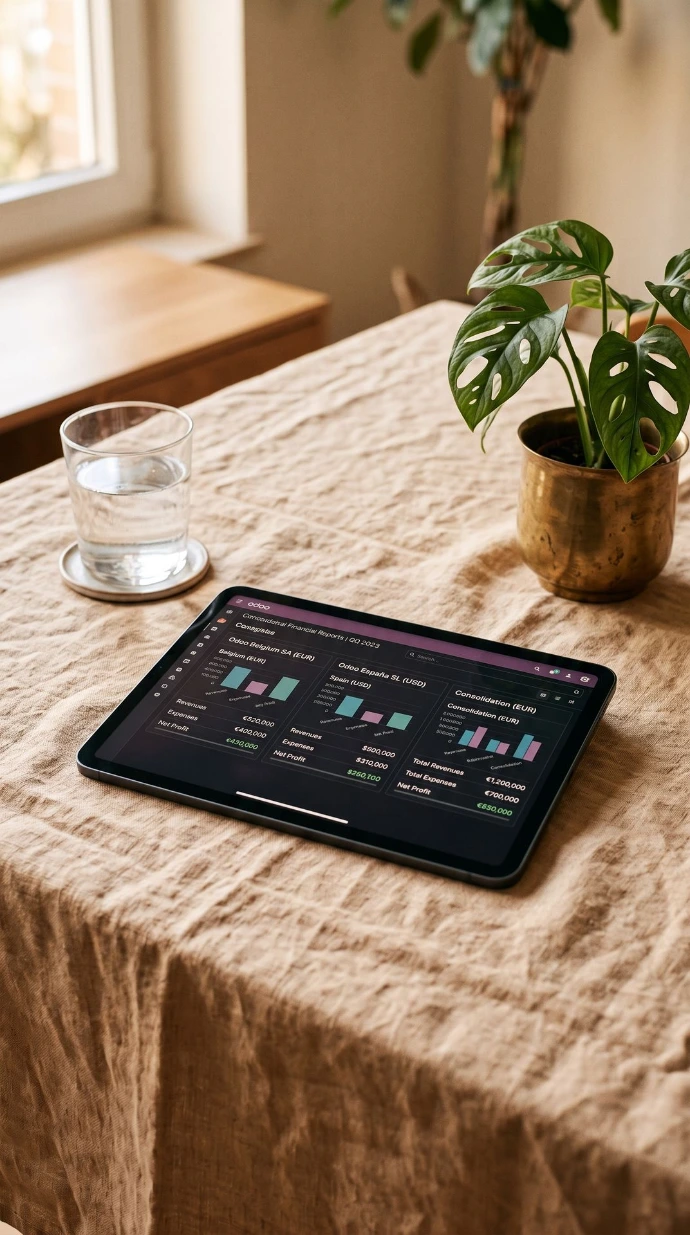
Accounting for multiple companies and countries
Odoo is suitable for organizations with multiple entities, branches, websites, or countries. Each legal
entity can have its own administration including:
● A unique chart of accounts;
● Own taxes and fiscal localization;
● Own invoice numbers and journals;
● Own bank accounts;
● Own currencies and reports;
● Own user rights.
At the same time, a well-structured multi-company environment can support central control and reporting. This is
for example interesting for organizations with a Dutch and Spanish company, a Belgian
subsidiary, multiple webshops, or international purchasing and sales.
A multi-company setup requires extra care. Companies, taxes, products, accounts, and access rights must
be correctly separated. Newconomie has practical experience with Odoo environments where multiple companies,
websites, and fiscal localizations come together.
Accounting for multiple companies and countries
Odoo is suitable for organizations with multiple companies, branches, websites, or countries. Each legal
entity can have its own administration including:
● Its own chart of accounts;
● Own taxes and fiscal localization;
● Own invoice numbers and journals;
● Own bank accounts;
● Own currencies and reports;
● Own user rights.
At the same time, a well-organized multi-company environment can support central control and reporting. This is
for example interesting for organizations with a Dutch and Spanish company, a Belgian
subsidiary, multiple webshops, or international purchasing and sales.
A multi-company setup requires extra care. Companies, taxes, products, accounts, and access rights must
be correctly separated. Newconomie has practical experience with Odoo environments where multiple companies,
websites, and tax localizations come together.
For which companies is Odoo Accounting suitable?
Odoo Accounting is particularly valuable for companies that:
● Still keep most of their records in Excel
● Use separate sales, inventory, and accounting software
● Manually retype invoices or payments
● Lack clear visibility into outstanding balances and real-time financial results
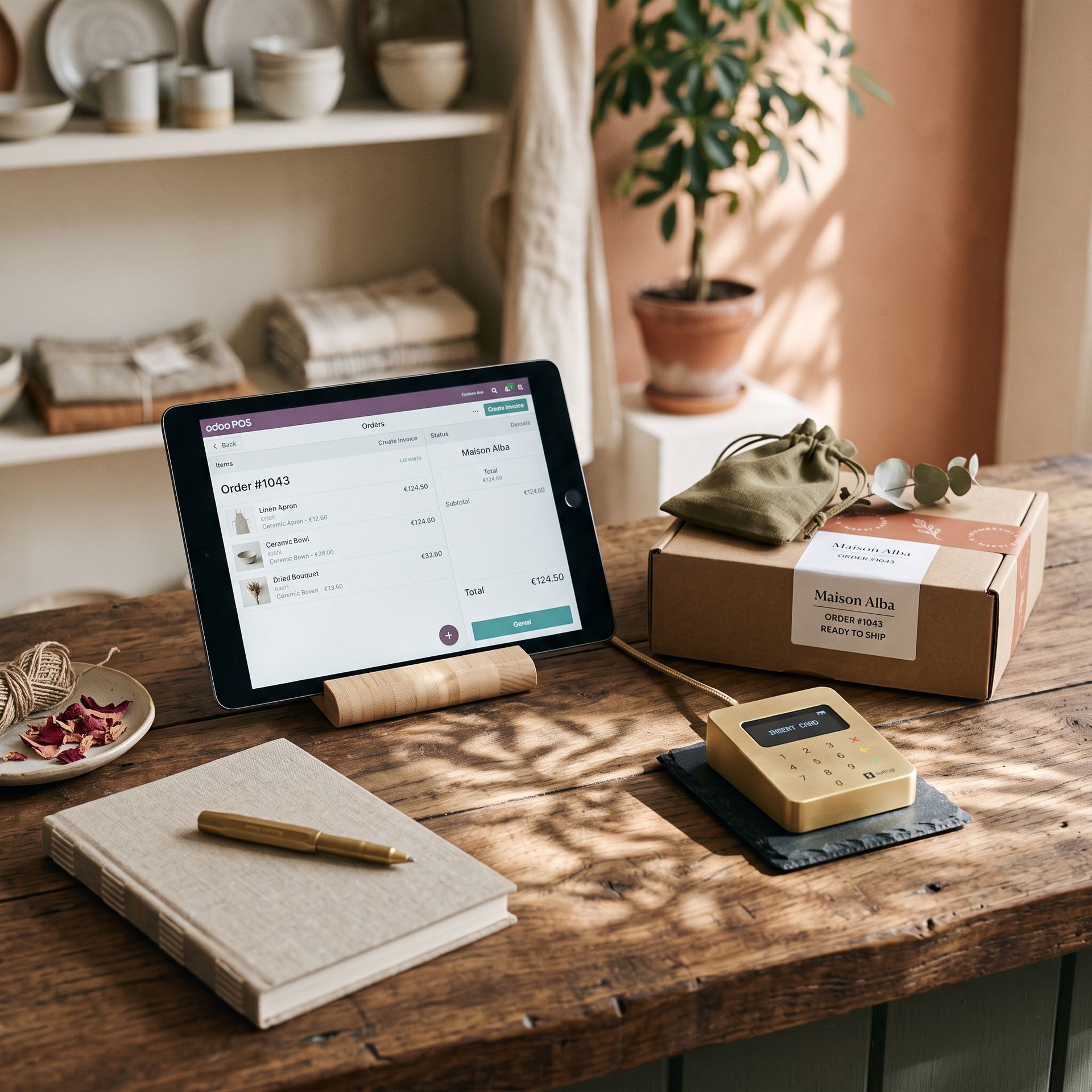
● Want to connect an e-commerce platform, physical store, or POS system to their accounting software
● Operate in multiple countries or manage multiple companies
● Need to prepare for VeriFactu or Peppol compliance
● Want their accountant or gestoría to collaborate more efficiently
● Want to spend less time on repetitive administrative tasks
For which companies is Odoo Accounting suitable?
Odoo Accounting is particularly interesting for companies that:
● Still largely manage their administration in Excel
● Work with separate sales, inventory, and accounting programs
● Manually retype invoices or payments
● Have insufficient insight into outstanding items and current results
● Want to link a webshop, store, or cash register to the administration
● Are active in multiple countries or work with multiple companies
● Need to prepare for VeriFactu or Peppol
● Want their accountant or gestoría to collaborate more efficiently
● Want to spend less time on recurring administrative work
This is how Newconomie sets up your administration in Odoo
This is how Newconomie sets up your administration in Odoo
We look at how sales, purchasing, invoicing, payments, inventory, and reporting are currently organized. We also map out exceptions, such as different VAT rates, foreign sales, credit notes, advance payments, subscriptions, cash registers, and multiple companies.
We determine together with the client and, where necessary, the accountant or gestoría how the administration in Odoo should be set up. We document, among other things:
● which companies and administrations are needed;
● which journals and accounts are used;
● which taxes and fiscal positions are needed;
● how invoice numbers and payment terms are set up;
● how bank accounts and payments are processed;
● which reports are needed;
● which employees and external advisors will have access;
● which processes can be responsibly automated.
We configure Odoo and can transfer relevant master data, opening data, and outstanding items. Depending on the situation, this may involve customers and suppliers, products and services, chart of accounts, opening balances, outstanding invoices, bank accounts, and analytical accounts.
Before going live, we test the entire administrative workflow. Employees learn not only where to click, but especially how daily tasks relate to the financial administration.
After the go-live, we check the processes and resolve bottlenecks. When the organization grows or regulations change, the setup can be further expanded and optimized.

We look at how sales, purchasing, invoicing, payments, inventory, and reporting are currently organized. We also map out exceptions, such as different VAT rates, foreign sales, credit notes, advance payments, subscriptions, cash registers, and multiple companies.
We determine together with the client and, where necessary, the accountant or gestoría how the administration in Odoo should be set up. We document, among other things:
● which companies and administrations are needed;
● which journals and accounts are used;
● which taxes and fiscal positions are needed;
● how invoice numbers and payment terms are set up;
● how bank accounts and payments are processed;
● which reports are needed;
● which employees and external advisors will have access;
● which processes can be responsibly automated.
We configure Odoo and can transfer relevant master data, opening data, and outstanding items. Depending on the situation, this may involve customers and suppliers, products and services, chart of accounts, opening balances, outstanding invoices, bank accounts, and analytical accounts.
Before going live, we test the entire administrative workflow. Employees learn not only where to click, but especially how daily tasks relate to the financial administration.
After the go-live, we check the processes and resolve bottlenecks. When the organization grows or regulations change, the setup can be further expanded and optimized.

Have administration performed in Odoo
Not every organization wants to carry out all daily administrative tasks themselves. In addition to the setup of Odoo,
Newconomie can, depending on the agreements, also assist with practical tasks such as invoicing,
document processing, checking outstanding items, and reporting.
For this, check our service Complete unburdening.
Have administration performed in Odoo
Not every organization wants to carry out all daily administrative tasks themselves. In addition to setting up Odoo, depending on your agreements, Newconomie can also assist with practical operations such as invoicing, document processing, monitoring outstanding balances, and reporting.
For more information, explore our Full Service Support solution.
Why Newconomie?
Newconomie specializes in the implementation and optimization of Odoo. We do not only look at individual functions.
We examine how sales, administration, inventory, employees, websites, and reports within your organization
work together.
You will receive:
● A practical setup that aligns with the actual business processes;
● Clear choices and agreements about responsibilities;
● Guidance during migration, testing, and going live;
● Support for multi-company and international environments;
● Knowledge of Odoo for the Netherlands and Spain;
● Support for VeriFactu and Peppol;
● Coordination with your accountant, bookkeeper, or gestoría;
● Training and support after implementation.
The goal is not to install as much software as possible. The goal is to make your administration simpler, more reliable, and
better manageable.
Why Newconomie?
Newconomie specializes in the implementation and optimization of Odoo. We do not only look at individual functions.
We examine how sales, administration, inventory, employees, websites, and reports work together within your organization
.
You will receive:
● A practical setup that aligns with the actual business processes;
● Clear choices and agreements about responsibilities;
● Guidance during migration, testing, and go-live;
● Support for multi-company and international environments;
● Knowledge of Odoo for the Netherlands and Spain;
● Support for VeriFactu and Peppol;
● Coordination with your accountant, bookkeeper, or gestoría;
● Training and support after implementation.
The goal is not to install as much software as possible. The goal is for your administration to become simpler, more reliable, and
better manageable.
Yes. Odoo supports, among other things, double-entry bookkeeping, customer and supplier invoices, payments, bank reconciliation, taxes, assets, analytical accounting, and financial reports. The functions and localizations needed depend on the company and the country.
Yes. An accountant, bookkeeper, or gestoría can receive appropriate access rights. The rights must be carefully configured so that each user can only see and edit the information that is necessary.
Yes. Odoo 19 includes support for VeriFactu through the Spanish fiscal localization and the module Spain - Veri*Factu. Company data, taxes, certificates, and processes must be set up and tested correctly.
Yes. Odoo can send and receive structured electronic sales invoices via Peppol. The Belgian localization, the Peppol endpoint, journals, and contact details must be configured correctly.
Yes. Often, master data, open items, and opening balances are transferred. A more extensive historical migration is possible but must be weighed against the required reports, available source data, costs, and control options.
Yes. Odoo supports multi-company environments where legal entities have their own accounting, taxes, bank accounts, number series, and reports.
Newconomie sets up Odoo and can support administrative processes. We are not an accounting firm or Spanish gestoría. For formal tax advice and returns, we collaborate with the client's accountant, bookkeeper, tax advisor, or gestoría.
Make your administration ready for the next step
Do you want to spend less time on manual administration? Does your company need to be prepared for VeriFactu in Spain or
Peppol in Belgium? Or do you want to bring sales, invoicing, banking, and reporting together in one system?

During a digital introduction, we will look at:
● How your administration is currently organized
● Where double work and errors occur
● Which Odoo apps and localizations are needed
● Which automations are feasible and responsible
● How your accountant or gestoría can continue to collaborate
● Which steps are necessary for a controlled go-live

Prepare your administration for the next step
Do you want to spend less time on manual administration? Does your company need to be prepared for VeriFactu in Spain or
Peppol in Belgium? Or do you want to bring sales, invoicing, banking, and reporting together in one system?
During a digital introduction, we will look at:
● How your administration is currently organized
● Where double work and errors occur
● Which Odoo apps and localizations are needed
● Which automations are feasible and responsible
● How your accountant or gestoría can continue to collaborate
● Which steps are necessary for a controlled go-live
One system for your daily work AND your financial administration
Discuss your current processes with Newconomie and discover which Odoo setup fits your organization.
Schedule a digital introductory meeting with Newconomie
One system for your daily work AND your financial administration
Discuss your current processes with Newconomie and discover which Odoo setup fits your organization.